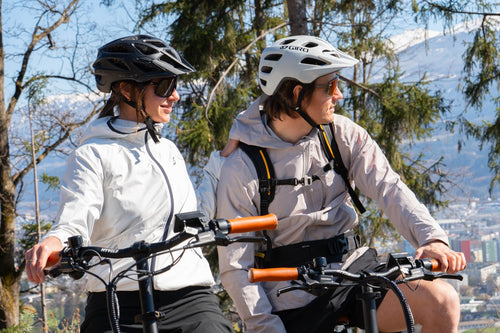
First of all: Of course, it's also possible using a classic GPS smartwatch.
Those who prefer to track their e-bike tour with a GPS smartwatch (e.g., Apple Watch, Garmin, Polar, or COROS) can, of course, do so. Most models support automatic synchronization with Apple Health , Strava , or other fitness platforms. The advantage: heart rate, GPS data, and ride time are recorded in detail – regardless of the e-bike system. In combination with a smartphone, a complete training profile can also be created.
Why FitnessSync makes sense for e-bike tours
Anyone who goes on an e-bike tour will later want to see the data – such as distance, calories, power output – in Apple Health or Strava and use it for training tracking. For many Bosch users, this is easily possible with the right app: the Bosch eBike Connect app (for System 2 with Nyon or Kiox display) or – for the Bosch smart system (Purion, Kiox 300/500) – the Bosch eBike Flow app .
🔧 Step 1: Connect correctly
With Bosch eBike Connect (Nyon / Kiox + System 2)
-
Open the app.
-
Go to Settings → Connected Apps .
-
Activate Strava and/or Apple Health and grant the necessary permissions.
-
Choose which data (e.g., distance, time, calories, heart rate) should be shared.
From now on, Connect will automatically sync every completed ride with Health or Strava.
With Bosch Flow App (smart system & Purion)
In the current version, the Flow app also supports exporting to Strava and Apple Health directly after the tour ends – you just need to activate the respective apps under Connected Apps in the settings.
Note regarding heart rate:
The Flow app displays your heart rate live (e.g., from your Apple Watch) on the screen, but doesn't save it in the ride log. HR data is often missing when exporting to Strava or Apple Health.
Step 2: Record & synchronize the tour
-
Start your tour as usual via your Bosch display or the app.
-
During the ride, distance, cadence, power, etc. are recorded – including all data (except HR in the Flow app).
-
After the tour, automatic synchronization with Apple Health and/or Strava takes place.
This way, you have documented your trip in your preferred app and can analyze or share it.
Bosch Purion + Flow App: What can you expect?
Bosch Purion in combination with the Flow App offers:
-
Route planning and navigation (also via Komoot or imported GPX files)
-
Individual riding modes (e.g., dynamic support, maximum torque)
-
Customizable display : Battery, speed, driving time, etc. can be freely assigned.
However, although heart rate data appears on the display during the ride, it is not saved or exported.
MYVELO & Bosch e-bikes
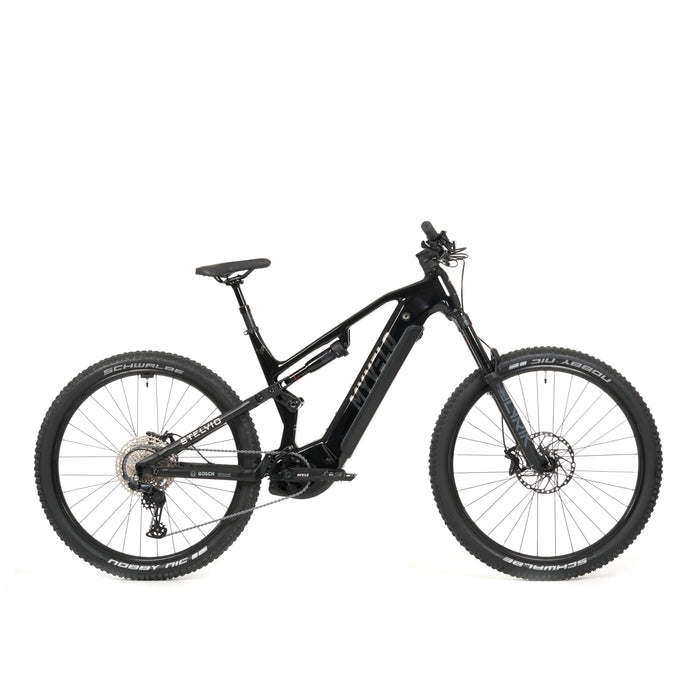
Alongside many other brands, MYVELO also offers a selection of Bosch e-bikes with Purion display and Flow app integration. This enables seamless automatic synchronization with Apple Health and Strava – ideal for anyone who wants to digitally document their rides. 👉 Discover Bosch e-bikes at MYVELO
Here's how you can record your e-bike tour
| Step |
action |
| 1. |
Switch on the Bosch e-bike (note the Purion or Kiox display) |
| 2. |
Open the Flow or Connect app and activate Apple Health/Strava. |
| 3. |
Start tour – tracking runs in the background |
| 4. |
Monitor heart rate on the display (Flow App) |
| 5. |
End tour – App syncs automatically |
| 6. |
Open Strava or Apple Health: new ride available |
💡 Tips & Recommendations
-
Keep the app and firmware up to date to ensure the best compatibility.
-
Anyone wanting to integrate heart rate data into Strava should also use a smartwatch or chest strap with separate recording capabilities.
-
For more complex data analyses, third-party tools can be helpful, e.g., for combining GPS and HR data.
-
Premium features of the Flow app (e.g., navigation, driving mode tuning) are particularly recommended for frequent drivers.
Conclusion
With the Bosch eBike Connect app or the Flow app (for Purion/smart systems), e-bike tours can be conveniently synchronized with Strava or Apple Health . The connection is easily established via the app – only heart rate data is not automatically transferred with the Flow app.
Those who want to exploit the full potential can also record the ride with a GPS smartwatch – or use a Bosch e-bike from MYVELO, which already supports full integration.